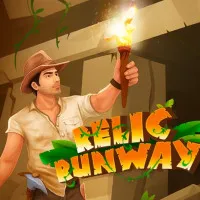














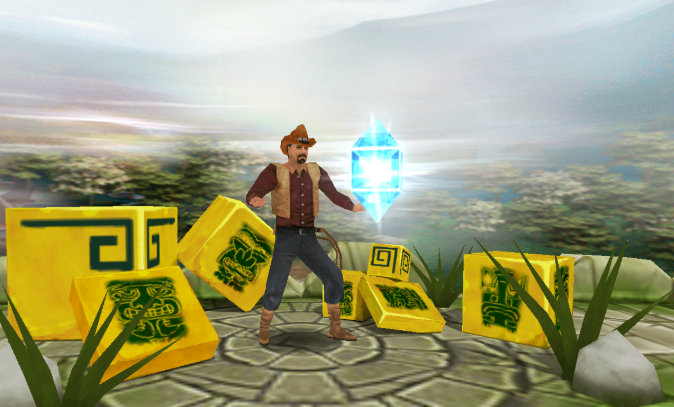
Are you passionate about epic Indiana Jones or Lara Croft-style adventures but hesitant to download large, resource-intensive games? Then try Tomb Runner – the best and smoothest clone of the legendary Temple Run on the HTML5 web platform. Are you ready to join Professor Jones in infiltrating ancient tombs, dodging deadly traps, and hunting for priceless gems?
Quick facts
- Central Character: Professor Jones (Archaeology Professor) and his super-cool companions.
- Ultimate Plus: Extremely lightweight, loads in 1 second, and is a perfect alternative for low-spec devices.
- Setting: A mysterious ancient tomb with broken bridges, fire traps, and giant stone statues.
- Technology: Open-source HTML5, lag-free on both Mobile and PC.
What Makes Tomb Runner Online So Appealing?
If Temple Run 2 provided a breathtaking feeling of being chased by monsters, Tomb Runner online focuses 100% on the pressure of the terrain. You're not being chased, but the game's automatically increasing speed combined with the frequent appearance of traps will make your heart race.
The gameplay is a perfect combination of the surfing reflexes of Subway Surfers and the strategic thinking of jumping from track and field games. Just a split-second delay in pressing a key, and your character will plummet into a chasm or be crushed by the stone trap gears.
How to play
To help Professor Jones avoid death in a foreign land, memorize the following quick-reflex shortcut diagram:
Playing with Keyboard (PC / Laptop)
- Jump: Up Arrow key or W key (Used to cross broken bridges and high barriers).
- Slide: Down Arrow key or S key (Used to crawl through rock traps and fire rings).
- Right-angle turn: Left/Right Arrow key or A/D keys.
Playing with a Touchscreen (Mobile / Tablet)
- Operation: Gently swipe your finger in the corresponding directions (swipe up to jump, swipe down to slide, swipe left to turn left, swipe right to turn right). The game supports multi-touch, so the sensitivity is extremely high.
Special Characters
By using the dazzling gems you collect along the way, you can recruit additional archaeological experts and bizarre creatures to enhance your experience.
- Professor Jones: A default archaeology professor in the game, elegant and brave with his classic Fedora hat.
- Lara Bones: A tomb-digging queen with personality, charm, and extreme agility.
- Mummy: An ancient Egyptian mummy, a unique and humorous character hiding in her own tomb.
- Agent 99: A secret agent in a stylish suit with a modern and romantic style.
Tips for Hunting Artifacts with the Highest Score
- The "Jump Half a Step Too Early" trick: For consecutive broken bridges, don't wait until your character is at the edge of the cliff to jump. Press the Jump button half a step earlier; the game's inertia will propel your character further, landing safely in the middle of the next board.
- Maximize Magnet usage: When you pick up a Magnet power-up, focus 100% on dodging traps in the middle lane. There's no need to swerve to the sides to collect gems anymore, as the magnet will automatically attract them.
- Be cautious of blind spots at corners: When preparing to turn 90 degrees, the camera will rotate sharply. Be prepared, as there's often a low-level slide trap waiting for you right after the corner.