
















Welcome to G-Switch – a game that has laid the foundation and completely redefined the concept of the running game genre! If you're tired of the boring jumps in typical running games, G-Switch offers a much crazier experience: Instead of jumping over obstacles, you'll reverse gravity to run on the ceiling!
Overview of the classic G-Switch game
Game Summary:
- Developer: Vasco Freitas (Serius Games).
- Core Mechanism: Reversing gravity (shifting gravity up/down) instead of jumping.
- Exclusive Feature: Supports local multiplayer mode with up to 6 players on the same keyboard.
- Compatibility: Next-generation HTML5 technology, no Flash required.
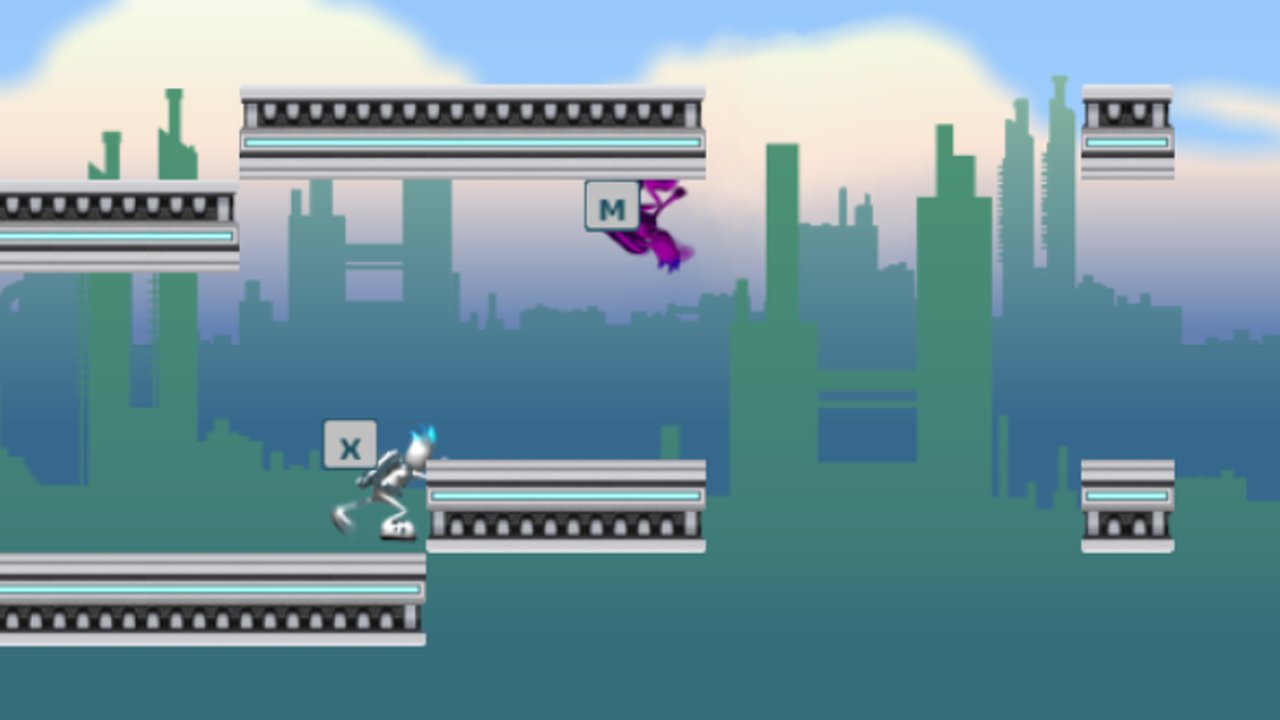
G-Switch Online immerses you in a harsh futuristic world where you control an autonomous bio-robot running at breakneck speed. The most unique aspect is that you cannot control the character's jump. When encountering gaps or obstacles, you must activate a gravity reversal device to pull the character up to the ceiling, and vice versa.
The game demands absolute concentration and millisecond reflexes. A single misstep can cause your robot to fly through the air or become stuck behind the screen, resulting in an explosion.
Basic Gameplay Guide for Beginners
If you're new to the world of G-Switch, forget the typical running game mechanics like Slope Rider or Subway Surfers. Manipulate gravity using these methods:
Simple One-Button Controls
Automatic character movement: You don't need to press any arrow keys to move forward or backward. Your robot will continuously accelerate forward.
You only need to press a specific key (C, M, A...) to reverse gravity, pulling your character towards the ceiling (or vice versa, falling from the ceiling to the floor) to continue your run.
6-Player Multiplayer Mode – The Ultimate Group Massacre
What makes G-Switch the "king" of school parties is its multiplayer mode. The game allows up to 6 players to compete on one device. Gather your friends and set up the fun, crowded button layout below:
- Player 1: C key
- Player 2: M key
- Player 3: Ctrl (left) key
- Player 4: Up arrow key
- Player 5: A key
- Player 6: Left mouse button
Currently, the game series has 3 official versions (G-Switch, G-Switch 2, and G-Switch 3) and expansions. You can find the entire series of games in our Point & Click Games category to experience new features like cloning and teleportation.
Some tips to help you score high on G-Switch
To conquer Endless mode or pass the checkpoints in Story mode, you need to master these advanced control tips:
- "Mid-air flip" tip: Don't wait for your character to touch the floor or ceiling before pressing the next key. While suspended in mid-air, you can press the key repeatedly to make your character flip, effectively dodging the dense spike traps.
- Remember the blind spots of speed traps: As you progress through the game, you will come across boosters. Be careful! Right after these boosters is often a large gap. Get ready to press the gravity flip button as soon as you touch the accelerator.
- Utilize inertia for a wide field of view: As your character flies from the floor to the ceiling, you'll have about 0.5 seconds of freefall. Take advantage of this brief moment to quickly glance to the right of the screen and plan your next move.